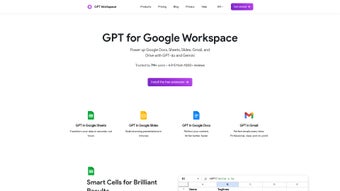

Download GPT Workspace – AI‑powered productivity tool for Google Workspace
Overview
GPT Workspace is a next‑generation productivity assistant that brings the power of GPT‑4o and Gemini directly into the Google Workspace suite. Designed for professionals, students, and anyone who spends time in Sheets, Docs, Slides, Gmail, or Drive, this tool acts as a smart co‑author, data analyst, and presentation designer—all without ever leaving the familiar Google environment. By tapping into advanced language models, GPT Workspace can automatically categorize rows in a spreadsheet, generate concise summaries, draft emails that hit the right tone, and even build complete slide decks with relevant images and speaker notes.
What sets it apart is the strict privacy‑first architecture: the AI runs in a secure sandbox and never accesses your raw files, ensuring compliance with GDPR, CCPA, and other data‑protection standards. The service is completely free for core features, with optional premium add‑ons that expand model limits for power users. Real‑time suggestions are delivered in under a second, allowing you to accept, edit, or discard output with a single click.
Whether you need to accelerate routine tasks, improve the quality of written communication, or unlock deeper insights from your Drive files, GPT Workspace offers a seamless, secure, and cost‑free solution that feels like an extension of Google’s own intelligence. Its continuous update cycle guarantees you always have access to the latest AI capabilities without manual upgrades, making it a future‑proof addition to any workflow.
Key Features of GPT Workspace
The true strength of GPT Workspace lies in its breadth of AI‑driven functionalities, each crafted to reduce manual effort and boost creative output across Google’s core apps. Below is a curated list of the most impactful capabilities, complemented by brief explanations of how they can be leveraged in everyday tasks.
- AI‑enhanced Sheets: Auto‑categorize data, generate pivot‑table insights, and summarize large datasets with a single prompt, turning raw numbers into actionable intelligence.
- Smart Docs assistant: Draft blog posts, reports, meeting minutes, or rewrite existing text for clarity, style, and SEO‑friendliness, cutting writing time by up to 70%.
- Slide deck generator: Transform outlines into fully designed presentations, complete with AI‑selected images, bullet points, and speaker notes, perfect for quick stakeholder updates.
- Gmail composition helper: Suggest subject lines, improve tone, add persuasive language, and create follow‑up templates in seconds, increasing email response rates.
- Drive file summarizer: Get concise overviews of PDFs, Docs, Sheets, and even image‑based content without opening each file, speeding up research phases.
- One‑click language translation: Instantly translate documents or email drafts while preserving formatting, supporting global collaboration.
- Privacy‑first design: No user data is stored or sent to external servers; all processing occurs within a secure, encrypted environment.
- Cross‑platform availability: Works on any browser that supports Google Workspace, making it accessible on Windows, macOS, Linux, Android, and iOS.
- Continuous updates: The tool receives regular AI model upgrades and feature enhancements at no extra cost, ensuring you stay on the cutting edge.
Each feature is activated through a natural‑language prompt entered in the side‑panel that appears after installing the extension. Because the AI understands context from the active document, you can ask highly specific questions—such as “Create a SWOT analysis table for the data in column B” or “Rewrite this paragraph to sound more conversational for a LinkedIn post”—and receive instantly usable output. This contextual awareness distinguishes GPT Workspace from generic copy‑paste AI tools and makes it an indispensable companion for knowledge workers who rely on Google’s productivity ecosystem.
Installation, Usage Instructions & Compatibility
Getting started with GPT Workspace is intentionally frictionless. Because it is delivered as a browser extension, you can download and install it directly from the Chrome Web Store or the Microsoft Edge Add‑ons marketplace. The process takes less than two minutes:
- Visit the GPT Workspace Chrome Web Store page and click “Add to Chrome”.
- Confirm the permission request – the extension only needs access to your Google Workspace domains to read the active document for context.
- After installation, a small GPT icon appears in the Google Workspace toolbar for Sheets, Docs, Slides, Gmail, and Drive.
- Click the icon, sign in with your Google account, and you’re ready to start prompting the AI.
Usage tips: In any Google app, simply type a natural‑language command into the sidebar – for example, “Summarize the last 10 rows of this sheet” or “Create a 5‑slide deck on renewable energy”. GPT Workspace will generate the requested content in real time, allowing you to accept, edit, or discard the output with a single click. For more advanced workflows, you can chain commands: first ask the AI to clean up raw data, then request a visual chart, and finally embed that chart into a slide deck—all without leaving the browser.
Compatibility: Because the extension runs inside the browser, it is compatible with all major operating systems that support Chrome, Edge, or Firefox – including Windows 10/11, macOS Ventura and later, most Linux distributions, as well as Chrome on Android and iOS. No additional software installation is required, and the tool automatically updates whenever Google releases a new browser version. If you encounter issues, a built‑in troubleshooting guide appears in the side‑panel, covering common problems such as permission errors, network connectivity, and conflicting extensions.
Automatic updates: The extension checks for updates each time the browser starts. When a new AI model or feature is released, you will see a brief notification prompting you to reload the extension. All updates are delivered at zero cost, ensuring you always have access to the latest capabilities without manual intervention.
Pros, Cons, Frequently Asked Questions & Final Thoughts
Pros
- Completely free with no hidden subscription fees for core AI functions.
- Deep integration across the entire Google Workspace suite, eliminating context switches.
- Privacy‑centric architecture that never stores user data or sends raw content to external servers.
- Significant time savings on repetitive tasks, content creation, and data analysis.
- Regular AI model upgrades keep the tool cutting‑edge without user effort.
- Cross‑platform browser support ensures accessibility on Windows, macOS, Linux, Android, and iOS.
- Intuitive natural‑language interface requires no coding or technical expertise.
Cons
- Relies on an active internet connection; offline use is not supported.
- Advanced formatting (e.g., complex tables or custom slide templates) may require manual tweaking after generation.
- Currently limited to Google’s ecosystem – no native support for Microsoft 365 or other office suites.
- Performance depends on browser resources; older devices may experience slight latency.
- Premium add‑ons are optional but may be needed for high‑volume enterprise use.
FAQ
Is GPT Workspace really free?
Yes, GPT Workspace is offered at no cost. The developer funds the service through optional premium add‑ons, but the core AI features for Google Workspace are completely free.
Does the extension access my private files?
No. GPT Workspace processes data locally in an encrypted sandbox and does not store or transmit the contents of your documents to external servers.
Can I use GPT Workspace on a Mac?
Absolutely. The extension works in any Chromium‑based browser on macOS, including Chrome, Edge, and Brave.
How often is the AI model updated?
Updates are rolled out monthly, with major model upgrades (e.g., GPT‑4o to newer versions) occurring quarterly.
What browsers are supported?
Chrome, Microsoft Edge, and Firefox on desktop; Chrome on Android and iOS for mobile use.
Is there a way to disable the extension for specific documents?
Yes. In the extension’s settings panel you can toggle the AI assistance on or off for individual files or entire folders.
Conclusion – Boost Your Workflow Today
GPT Workspace bridges the gap between powerful AI and everyday productivity tools. By embedding GPT‑4o and Gemini directly into Google Sheets, Docs, Slides, Gmail, and Drive, it eliminates the need for copy‑paste workflows and external content generators. The combination of a privacy‑first design, zero‑cost access, and continuous AI upgrades makes it a compelling addition for anyone looking to streamline repetitive tasks, improve writing quality, and generate professional‑grade presentations in minutes.
Real‑time suggestions, cross‑platform support, and an intuitive natural‑language interface ensure that both power users and beginners can benefit without a steep learning curve. If you’re ready to experience a smarter way of working, click the link below, add the extension to your browser, and start transforming your Google Workspace routine instantly. Your time is valuable—let GPT Workspace do the heavy lifting so you can focus on the ideas that truly matter.
Download GPT Workspace now and unleash AI‑driven efficiency across all your Google apps.



.png)



